


Official liveries
Aircraft liveries for unlocked airlines and supported aircraft add-ons.
The livery installer for Microsoft Flight Simulator and X-Plane centrally installs, updates and manages all content unlocked for your NordFly Group Airlines account.
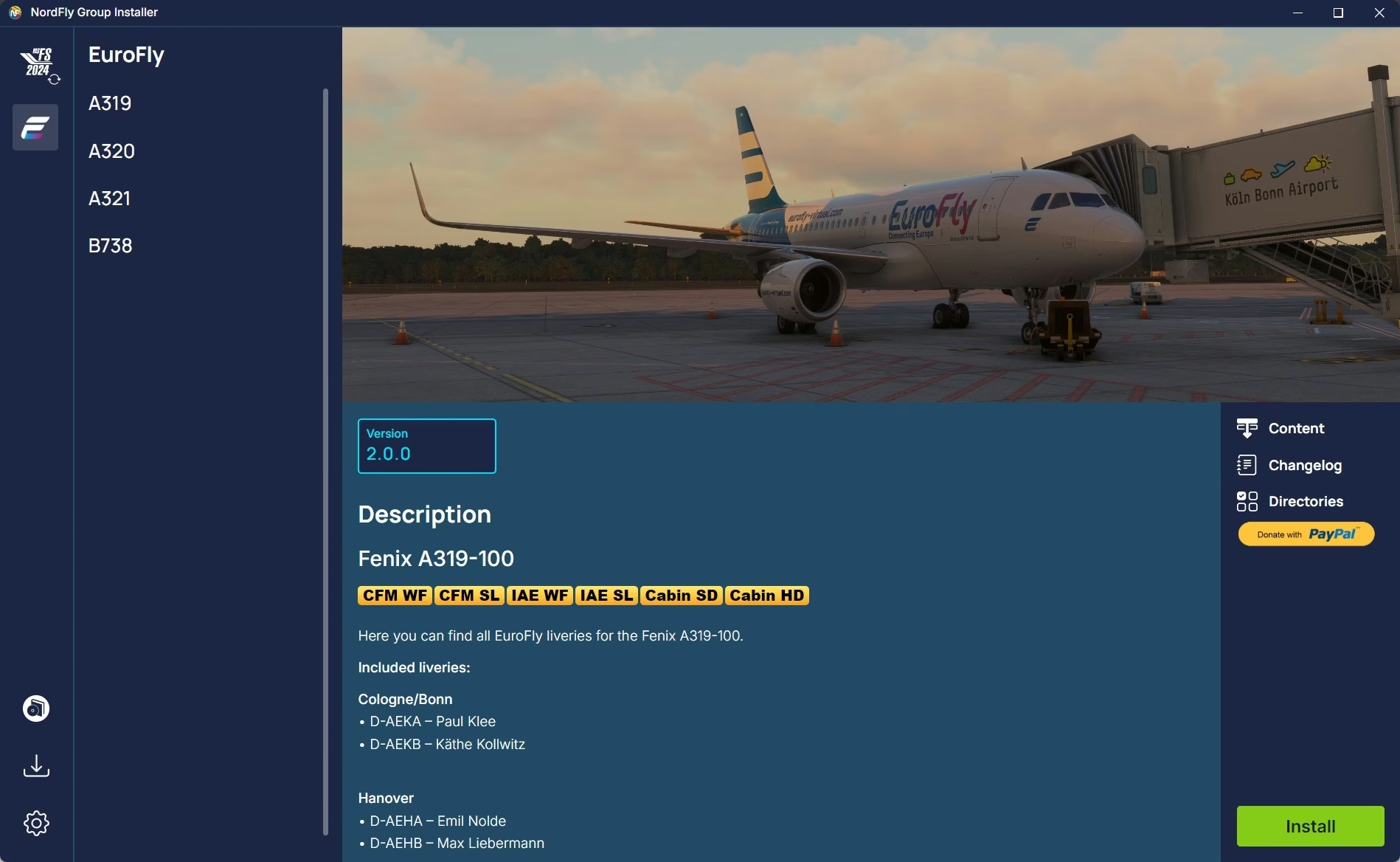
The NordFly Group Installer is our in-house desktop application for Microsoft Flight Simulator 2020, Microsoft Flight Simulator 2024 and X-Plane 11/12. It provides convenient one-click installation, updating and management for all content made available by NordFly Group Airlines.
Whether you fly for NordFly, NordFly Cargo, FlyHoliday Airlines or EuroFly, the installer centrally manages all unlocked content and automatically adapts to your user account.
Installing liveries is often one of the most time-consuming tasks in a virtual airline. Downloading ZIP files, extracting archives and copying files into the correct simulator folders takes time and frequently causes errors.
The NordFly Group Installer removes this entire process. Liveries are detected, downloaded and installed into the correct directory automatically, allowing pilots to focus fully on flying.
The installer acts as the shared management interface for content, software and extensions across NordFly Group Airlines.
Aircraft liveries for unlocked airlines and supported aircraft add-ons.
Provided packages for suitable aircraft representation on the online network.
Additional cabin content for supported Fenix aircraft.
Central distribution of software required for flight operations.
Instructions, extensions and other helpful resources in one place.
New content can be added at any time and becomes immediately available to eligible pilots.
When new liveries, improvements or extensions are released, the installer automatically reports available updates. They can then be installed with a single click.
The installer automatically recognises the airlines and areas unlocked for your account. It only displays content you are actually authorised to access.
New access permissions appear automatically without requiring the installer to be downloaded or installed again.
If an account is deleted or membership ends, all files installed through the application can be removed automatically.
The NordFly Group Installer was developed to make the installation, maintenance and management of all NordFly Group Airlines content as simple as possible: fast, convenient and reliable.
The installer is available to approved pilots through the systems of NordFly Group Airlines.